About the Jili Park App
For players who enjoy gaming on the go, the Jili Park app is the most convenient way to access the platform. It brings the entire experience to your pocket with faster loading, smoother visuals, and handy features like one-tap login. While the mobile website already works beautifully, the dedicated app is the best choice for players who want the most responsive experience possible.
The app puts slots, live casino tables, and fishing games just a tap away, along with your wallet, rewards, and account settings. Everything is organized for small screens and one-handed use, so whether you are at home or out and about, Jili Park is always ready when you are.
This guide explains everything about downloading and installing the app — why it is worth using, how to install it safely on Android, how iPhone users can get the same smooth experience, and how to sign in once it is ready. If you have not created an account yet, start with our registration guide, then come back here to get the app.
Why Use the App Instead of the Browser?
You can absolutely enjoy Jili Park through your phone browser, but the dedicated app offers a noticeably better everyday experience. Most regular players prefer it because it is faster, more stable, and built specifically for mobile screens.
- Faster Loading: Game screens, the wallet, and live results appear more quickly on the app than on a mobile browser, so you spend less time waiting.
- Smoother Gameplay: The app is optimized for touch, making menus, buttons, and game controls easier to use, even on budget and mid-range phones.
- One-Tap Access: Open the app and reach your favourite games in a single tap, with your login saved for convenience.
- Handy Notifications: Optional alerts keep you informed about rewards, results, and account activity so you never miss anything important.
- Lower Data Use: Cached assets can help reduce the mobile data the app uses during play compared with reloading pages in a browser.
- Always Ready: The app sits on your home screen, so you can check your balance or play a quick round anytime without opening a browser first.
How to Install the Jili Park App on Android
Follow these steps carefully to download and install the app safely on your Android phone.
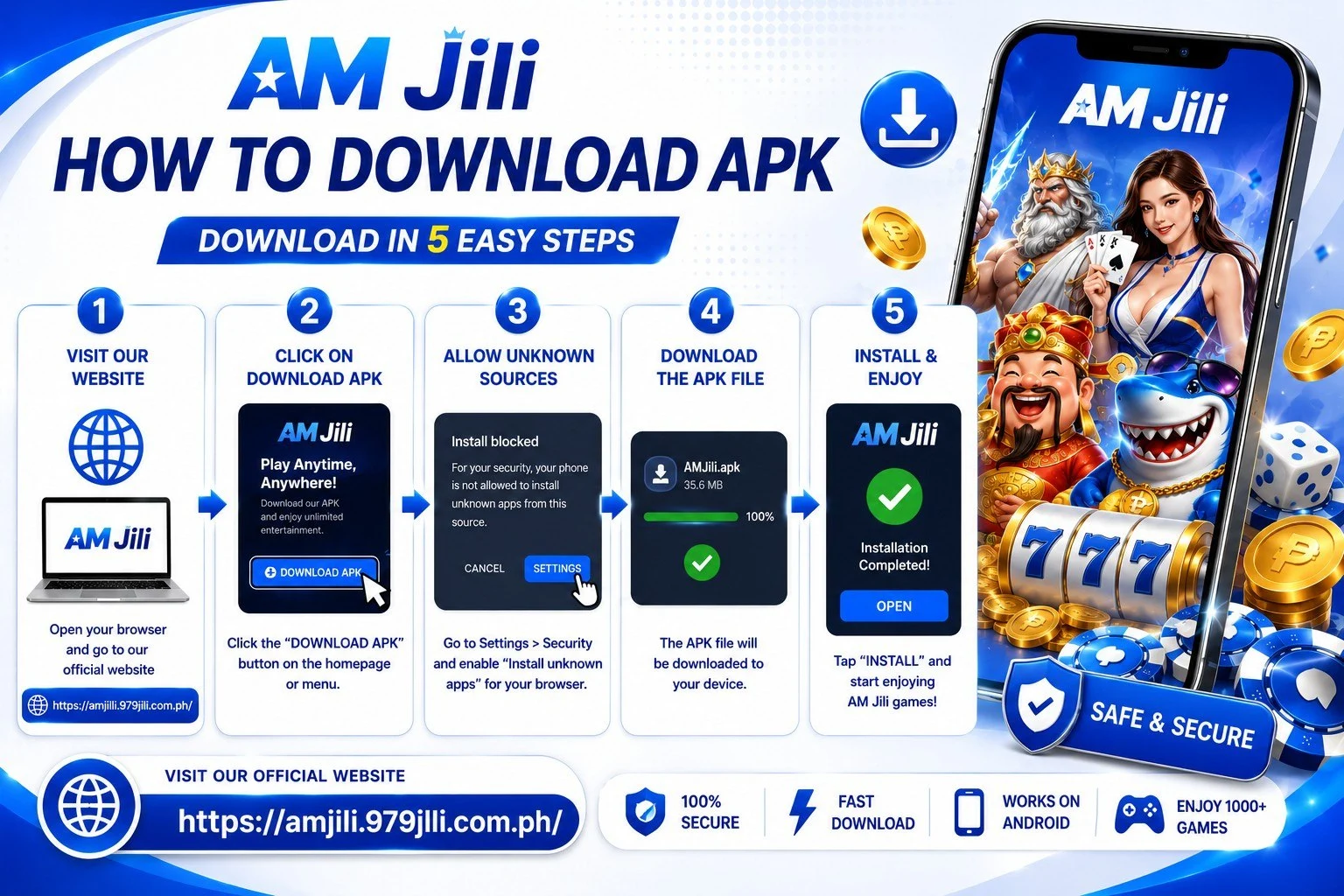
Step 1 — Visit the Official Website. On your Android phone, open your browser and go to https://jilipark22.com.ph. Always download the app only from the official website — never from third-party stores, random links, or files shared in group chats, as those may be unsafe or fake.
Step 2 — Tap the App Download Button. On the homepage, look for the "App Download" or "Download APK" button, usually shown clearly near the top. Tap it once to begin downloading the file to your phone. The download is quick, even on mobile data.
Step 3 — Allow Installation from Unknown Sources. Because the app is not on the Google Play Store, Android asks permission to install it. Go to Settings, then Security or Privacy, and enable "Install from Unknown Sources" or "Allow from this source." On newer Android versions, your browser will simply prompt you to Allow when you open the file.
Step 4 — Open the Downloaded File. Once the download finishes, open your Downloads folder and tap the Jili Park file to begin installing. When the prompt appears, tap "Install." This usually takes well under a minute.
Step 5 — Wait for It to Finish. Let the installation complete without pressing back or closing the screen. When it is done, you will see an "App Installed" confirmation.
Step 6 — Open and Sign In. Tap "Open," or find the Jili Park icon on your home screen. If you already have an account, complete your login with your mobile number and password. New here? Tap Register to create your free account in a couple of minutes.

Using Jili Park on iPhone
iPhone users can enjoy the full Jili Park experience without installing anything from a store. The platform runs smoothly in Safari and other mobile browsers, and you can add it to your home screen for quick, app-like access.
Step 1 — Open Safari. On your iPhone, open Safari and visit jilipark22.com.ph.
Step 2 — Tap the Share Icon. Tap the Share button at the bottom of the screen (the square with an upward arrow).
Step 3 — Add to Home Screen. Scroll down the share menu and tap "Add to Home Screen." Confirm the name, then tap "Add."
Step 4 — Launch and Play. A Jili Park icon now appears on your home screen. Tap it to open the platform in a clean, full-screen view that feels just like a native app, then complete your login to start playing.
This home-screen shortcut gives iPhone players fast access to every game and account feature, with the same secure experience available on Android and desktop. Because it runs through Safari, there is nothing extra to update manually — you always get the latest version of the platform automatically each time you open it, which keeps things simple and worry-free.
Device Requirements
The Jili Park app is lightweight and designed to run well across a wide range of devices, so you do not need a high-end phone to enjoy smooth gameplay. Here is a quick overview of what works best.
Recommended Requirements
| Requirement | Details |
|---|---|
| Operating System | Android 6.0+ / iOS via mobile browser |
| Storage Space | A small amount of free space for the app |
| Internet | Stable mobile data or Wi-Fi connection |
| Payments | GCash, Maya, GrabPay, bank transfer |
| Age Requirement | Strictly 21 and above |
If your phone runs on mobile data, the app is built to stay efficient, and it performs reliably even on slower connections. For the smoothest experience, keeping the app updated to its latest version is always a good idea, as newer releases often bring performance improvements and fresh features. If you ever notice the app running slowly, closing background apps and making sure you have a stable connection usually resolves it quickly.
Logging In on the Jili Park App
Once the app is installed, signing in takes only a few seconds. The process mirrors the website, so if you have logged in before, it will feel instantly familiar.
Step 1 — Open the App. Tap the Jili Park icon on your home screen to launch it. The app opens on the main lobby or the login screen.
Step 2 — Tap Login. If you are not already signed in, tap the "Login" button shown clearly on the screen.
Step 3 — Enter Your Details. Type the mobile number you registered with and your password, then tap Login. If your details are correct, you are taken straight to your dashboard.
From there, your wallet balance sits at the top of the screen, and you can deposit, play any game, request a withdrawal, or check your history. For more sign-in help and troubleshooting, see the full Jili Park login guide.
Download Safety Tips
Keeping your download safe is simple when you follow a few basic habits. These steps protect both your phone and your Jili Park account from the very start.
- Download from the official site only: Always get the app from jilipark22.com.ph. Avoid third-party stores and forwarded files, which may be modified or fake.
- Check the web address: Make sure you are on the correct official domain before tapping download, so you always receive the genuine app.
- Keep the app updated: Install the newest version when available for the best performance, security, and newest features.
- Protect your login: Never share your password or OTP with anyone, and be cautious of messages claiming to be from support.
- Use your own device: Install and stay signed in only on a phone that belongs to you, and log out on shared devices.
Jili Park App Download — Frequently Asked Questions
Quick answers to the questions Filipino players ask most. Need more help? Reach our team through the contact page.